Building My Toolkit: Python Pt. 3 (User Input and While Loops)


Building My Toolkit is a series in which I document my learning of various tech and data tools. Ultimately, my goal is to incorporate these skillsets in my role as an institutional research practitioner. Each week, I discuss the progress I’ve made with a particular tool, currently the Python programming language.

Up until now, the coding examples have been relatively static — meaning that I hardwired the code snippets to work exactly as I want to, and there is no input on the part of the user to direct the flow of a program. Naturally, you can imagine that this is not very realistic, as many roles in higher education rely on technology and the information that we input into our computers. Fortunately the Python syntax to prompt for user input is quite simple:


name = input("What is your name? ")

In this example, I use the input function to prompt the user for their name by telling the user what we want them to do. There are also ways to validate the data, such as checking to make sure that no integers are entered into the name field or we might use the title function to ensure that even if the user were to enter ‘JOE’, ‘jOe’, or ‘joe’, as names, they would each get passed into the program as ‘Joe’. Incorporating user input into future projects will allow me to create dynamic and user-driven programs, such as a simple text-based role-playing game. On a very fundamental level, the same sort of logic is at work when users enter their credentials into an e-mail client or other software.

Another handy feature that I learned about this week was the use of while loops. Essentially, while loops do what the name implies: While a condition X or Y (or both!) is unmet, a block of programming logic will continue to execute. For example:


current_number = 1

while current_number < 5:
    print(current_number)
    current_number += 1

In this example, I tell the program to print the current number to the terminal, which I initialize with a value of 1. As long as the number is less than 5, the program will add 1 to the current value and print the new number until the condition (number < 5) is satisfied. And so the result of this program would simply be:

1
2
3
4

This sort of logic is quite common in a variety of cases. The find and replace feature in Microsoft Office is a great example. As long as the program detects another iteration of the user’s query, the program will proceed to highlight and replace that iteration. Again, the logic is oversimplified here, but I challenge you to consider other ways in which the while loop logic drives other applications that you may work with.

So far, we’ve talked about all of the neat things we can do through programming logic, from continuing to loop through certain blocks of code to executing certain code based on a given value. Next time we’ll take a look at functions, which are handy ways to bundle various bits of code together in a handy way that we can call upon as needed in our program.
Building My Toolkit: Python Pt. 2 (If Statements and Dictionaries)

Building My Toolkit is a series in which I explore my learning of various tech and data tools. Ultimately, my goal is to incorporate these skillsets in my role as a student affairs practitioner. Each week, I discuss the progress I’ve made with a particular tool, currently the Python programming language.

The last week or so has been a really exciting time in my fledgling programming career. The programming problems that I’ve been working on out of the Python Crash Course have become noticeably more complex, offering many possibilities for how to tackle a given program. I’m particularly excited that I got to tackle if statements this week, as they are a great supplement to for loops. In addition, they let me know that tackling while loops isn’t too far off on the horizon.

If statements are pretty straightforward — they instruct a computer program to execute a command if a certain condition is met. The below code snipped illustrates a rather simple usage of an if statement.


for student in student_list:

if student_age 

    print("This student is underage!")

else:

    print(student_name)

The above snippet would loop through a list of students and print the name of each statement. The use of the if statement here directs the program to let me know if a student is underage. This is a simplistic snapshot of some of the backend logic with Maxient, Advocate, and other conduct management software programs.

Another example of if statements working behind the scenes is the condition feature in Excel. As higher education administrators, we practically live in a world of spreadsheet at times — or so it feels. A simple if statement helps on the backend of Excel to check whether certain cases are true.

I could also use pseudocode — a high-level outline of a computer program or algorithm to show what the programming logic for a simple conditional formatting might look like.

# Pseudocode that outlines the logic for a basic conditional formatting
# operation in Excel Loop through each cell selected by the user

Loop through each cell selected by the user
For each cell:
if the cell == null # Meaning that the cell does not contain any value
Change the cell shade to light red
else: Change the cell shading to light green

In my studies from the past week, I also explored dictionary data structures, which are used to connect related pieces of information. For example, I could create a dictionary of student development theorists and connect the theorists’ name to their respective theory as follows:


theorists = {

'schlossberg': 'transition theory',

'kohlberg': 'moral development',

'chickering': 'seven vectors',

'sanford': 'challenge and support',

}

At their core, dictionaries are composed of key-value pairs. Essentially a key-value pair is jargon for two pieces of data that are connected. The above example is a dictionary called ‘theorists’ and contains a total of four key-value pairs. Each pair of data is conjoined with a colon, with single quotes used to set off each piece of data.  Dictionaries are nifty in that their functionality can be scaled up in a number of ways. For instance, we could use a list to associate a number of theoretical ideas with a particular theorist. Let’s revisit Schlossberg’s transition theory. Instead of having one value associated with the key ‘schlossberg’, we could associate the four S’s of her theory with the same key.


'schlossberg': ['situation', 'self', 'support', 'strategies']

I could go on down the rabbit hole of possibilities with dictionaries, but I think I’ll stop there. It’s exciting to be getting to a part of my programming journey where there are more nuanced decisions to be made about how I approach a given task. I think my next post in this series will be a real treat! I hope you’ll join me as I look at some more programming logic, building some nifty programming blocks, and how to take  user input right from the keyboard.

Thanks for reading,

Joe

Are you interested in giving programming a try for yourself? Check out this link for a brief Ruby tutorial. Ruby is a high-level programming language that is similar to Python. Let me know if you got the chance to check it out!

Let’s connect on Twitter @joe_diodato.

Building My Toolkit: Python Pt. 1

Building My Toolkit is a series in which I explore my learning of various tech and data tools in higher education administration. Ultimately, my goal is to use these skills in my role as a student affairs practitioner. Each week, I discuss the progress I’ve made with a particular tool. The series will begin with my exploration of the Python programming language

Very few folks know that I spent a year and a half as a computer science major while I was at UNC-Greensboro. While I did not graduate with a comp sci degree, my coursework provided me with several traits that have stuck around, namely a love of technology and exploring the unknown. Until very recently, I viewed my computing experience as worlds apart from higher education. I would later learn that my programming background could be a tremendous asset in higher education.

During my first year in the higher education and student affairs program at Indiana University, I took the plunge and enrolled in EDUC-C661: Foundations of Institutional Research. Surrounded by brilliant colleagues, I developed a love and appreciation for the role of data and technology in institutional decision making. With my curiosity piqued by exploring tools such as the Integrated Postsecondary Education Data System (IPEDS) and learning the basics of data visualization in Excel, I began to desire more. I dug out a book on the Python programming book that I had and got to work.

51f48hfhq6l-_sx376_bo1204203200_
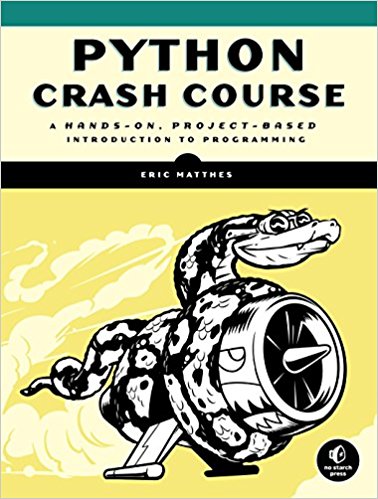
Python Crash Course

I love Python Crash Course and the structure of the book. It begins with eleven chapters that introduce the basics of the Python programming language, followed by projects that touch on a variety of areas, including basic game design, data visualization, and web development. Of course, the data visualization features of Python are of the most interest to me at the moment.

 Hello, world! 

Hello world — the first program of many aspiring software developers. This simple script introduces the programming terminal and ensures that the proper dependencies and packages are installed in the programming environment.

I then began to learn the basics of variables and data types, and how they are utilized in a computer program. For example, the below code snippet creates a variable called “message” and stores a sentence in the message. After the string (sentence) is stored in the variable, it is then printed to the terminal.

message = "Python rocks for data analysis!"
print(message)

This could will yield the following output:

 Python rocks for data analysis! 

For the last of this round of exercises, I began to learn about lists. Put simply, a list in computer programming is a collection of things in a specific order. It could be a collection of symbols, letters, numbers, sentences, or anything else. There are many ways to manipulate lists, such as the below example that creates a short list of student development theorists.

theorists = ['Chickering', 'Magolda', 'Perry', 'Kohlberg']

Lists are defined similarly to how we defined the message variable in the second example, except this time we would add brackets to indicate that the items are a list. I can manipulate the lists in various ways, even using an indexing system to refer to certain elements of the list. List indexing in programming starts at zero, so I would refer to element 0 ([0]) to utilize the first element of the above list.

print(theorists[0] + " wrote the seminal text Education and Identity."

This snippet would print in the terminal:

 Chickering wrote the seminal text Education and Identity." 

Overall, I’ve only scratched the surface of what is possible in the Python language. Over time these building blocks will become progressively more complex as my competency in programming continues to develop. I’m excited to continue documenting my learning of the Python language, and I hope that you continue to follow along. Perhaps we may even collaborate on a software project in the near future.

Thanks for reading,

-Joe